ASAP AI
Client Testing Lab
Welcome - This is a secure environment where you can interact with, test, and experience your AI employees before they go live.
This page allows you to:
• Experience how your AI employees sound and respond
• Validate tone, accuracy, and logic
• Test real-world customer questions
• Provide feedback before final deployment
Nothing here affects your live systems.
This is a safe, controlled testing environment.

How To Use This Page
1. Choose an AI employee
2. Interact naturally — speak or type as a real customer would
3. Test common questions, edge cases, and scenarios
4. Note anything you’d like adjusted (tone, answers, flow)
5. Share feedback with your ASAP AI consultant
Tip: The more “real” your testing, the better the final AI performs.
Let's Test Your AI Employees Before Launch
Select an AI Employee below to begin.
ASAP AI Brand Genie™
This is a branded digital spokesperson for your business.
It acts like a talking brand / website — welcoming visitors, explaining what you do, and helping them find the right product or next step.
What it’s designed to do
・Communicate your brand clearly and confidently
・Turn visitors into conversations
・Reduce confusion and improve conversion
What to try
・“What does this business do?”
・“Which option is right for me?”
・“How does this work?”
・“I’m overwhelmed and not sure what I need.”
Pay attention to
・Brand tone and clarity
・How natural and confident it sounds
・Whether it helps move the conversation forward
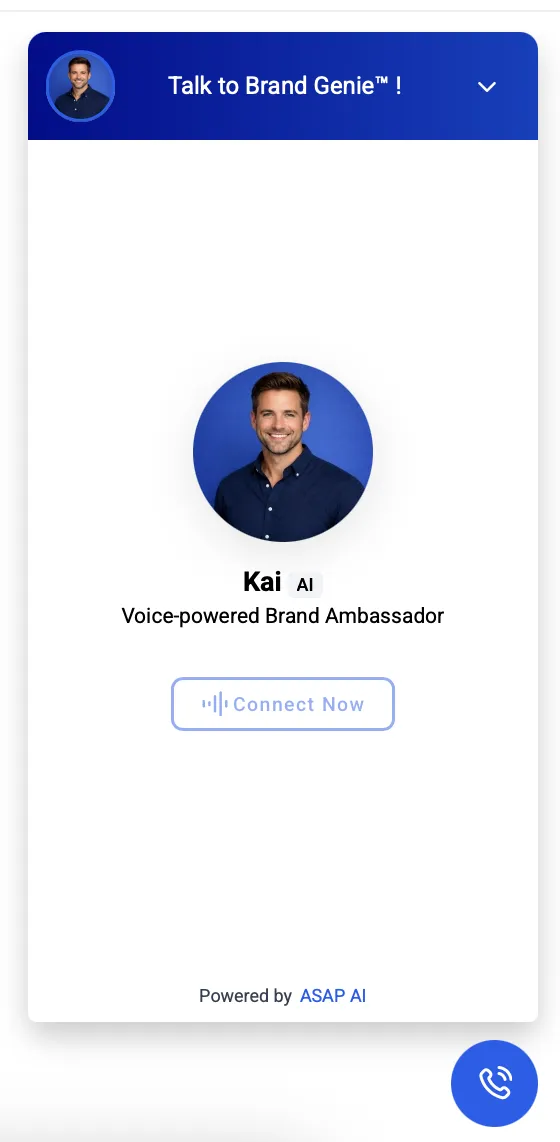
To Test :
Click on the floating BLUE button on the RIGHT.
To Test : Click on the floating BLUE button on the RIGHT.
TO TEST: Click on the CONNECT button above.
AI Receptionist (Voice Agent)
This is a branded front desk for your business — always available, always consistent.
What it’s designed to do
・Greet callers professionally
・Represent your business the same way every time
・Guide callers toward booking or next steps
What to try
・Call as a first-time customer
・Ask about services or availability
・Call after hours
Pay attention to
・Voice and professionalism
・Conversation flow
・Ease of booking or guidance
TO TEST: Click on the CONNECT button below.
Multi-Channel Messaging AI
(Text Agent)
This is a branded digital team member that handles text and chat conversations across different platforms. Multi-channel, one voice.
What it’s designed to do
・Respond quickly and clearly
・Keep conversations moving
・Support customers without delays
What to try
・Short questions
・Follow-up questions
・“Can someone contact me?”
Pay attention to
・Writing style and tone
・Speed and clarity
・Whether it feels helpful and human
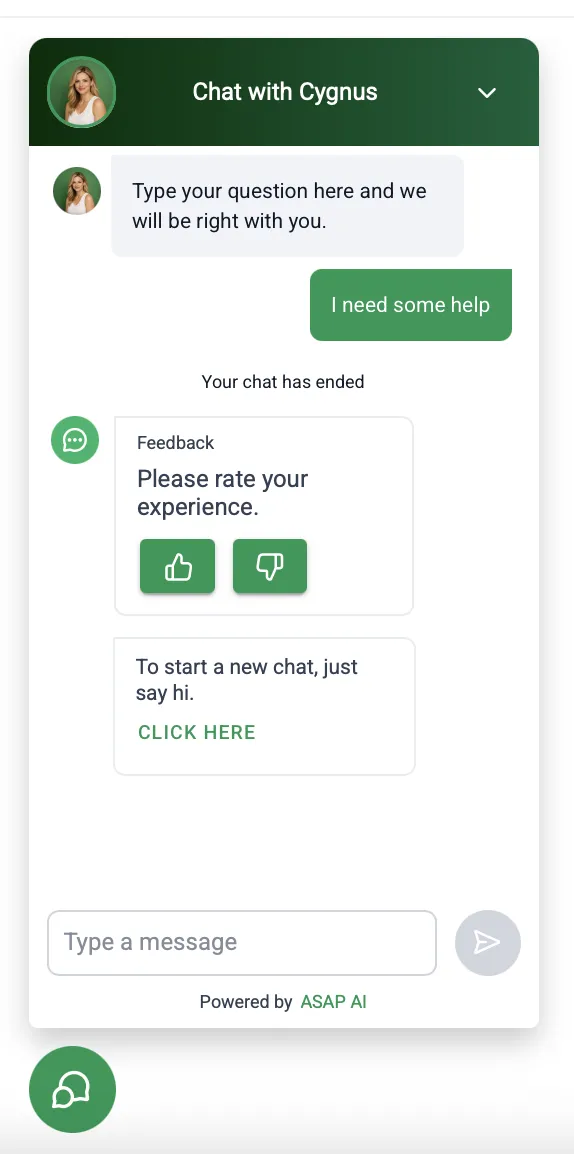
To Test :
Click on the floating GREEN button on the LEFT.
To Test : Click on the floating GREEN button on the LEFT.

New Ideas?
If what you’re testing sparks new possibilities, you’re on the right track. AI Employees can be customized far beyond this demo—from new roles and workflows to deeper integrations tailored to your business.
👉 Let’s explore what else AI can do for you. Book a quick strategy call to design your next AI employee.
Testing Note
This is a test environment.
Nothing here is live yet — no real bookings, messages, or notifications are sent.
Your feedback helps refine:
Brand voice and tone
Conversation flow
Accuracy and clarity
Overall experience
What Success Feels Like
(After testing, the AI should feel like):
A natural extension of your brand
Clear, confident, and easy to interact with
Helpful without being pushy
Ready to support customers and your team
If anything feels off, that’s exactly what this test is for. Share feedback with your ASAP AI consultant.
Thank you.
FAQs
Quick Answers to Your Key Questions When Testing and Training Your New AI Employees
What can I customize in this AI employee?
You can adjust tone, wording, questions, conversation flow, data captured, business rules, and voice characteristics such as gender and accent. The AI’s core role remains intentionally focused to ensure clarity and performance. Each AI employee is designed to do one job well rather than many jobs poorly.
Can one AI employee handle everything my business needs?
No - by design. AI employees are purpose-built for specific roles. When workflows become more complex, adding supporting AI employees (team) or automations creates a more reliable and scalable setup.
👉 If you’re unsure whether something is a tweak or a new role, talk to your ASAP AI consultant.
How flexible are the chat widget and voice setup?
Branding elements such as image, colors, placement, greetings, and voice style can be customized. Platform limits still apply—a chat widget remains a widget, and voice AI follows call logic and system rules. Reliability and function always come first.
What happens when the AI doesn’t know an answer?
The AI does not guess. It can ask clarifying questions, escalate to a human, log the interaction in the system, or trigger internal alerts. This ensures a consistent and professional customer experience.
Is the AI making decisions or replacing my team?
No. AI employees assist, qualify, and execute routine tasks within predefined rules. Human judgment, approvals, and final decisions always remain with your team.
Are there legal or compliance responsibilities?
Yes. AI employees operate using approved scripts and workflows and do not provide legal, medical, or financial advice. Your business is responsible for obtaining proper user consent for communications and data use, complying with applicable laws, and overseeing outcomes. Additional safeguards can be configured for regulated industries.
👉 If your business operates in a regulated environment, talk to your ASAP AI consultant about compliance and consent setup.
NEW YORK CITY
2222 Jackson Ave, Suite 710
New York, NY 11101
SINGAPORE
111 Somerset road, #15-18
Singapore 238164
+1 (929) 930-4545
[email protected]
© 2026 Tribeca Innovations LLC. All rights reserved.
ASAP AI is a brand of Tribeca Innovations LLC.
Brand Genie™ is a trademark of Tribeca Innovations LLC.